
The Modern Meeting Room Has Changed
Meeting rooms today need to serve both in-person and remote participants equally well — a projector and a speakerphone from a decade ago no longer meets the expectations of a hybrid workforce.
Step 1: Assess Each Room's Purpose and Size
Not every room needs the same setup. Classify your rooms — huddle spaces for 2-6 people, standard meeting rooms for 6-12, and boardrooms for larger groups — since each category needs different hardware.
Step 2: Choose Video Conferencing Hardware Per Room Type
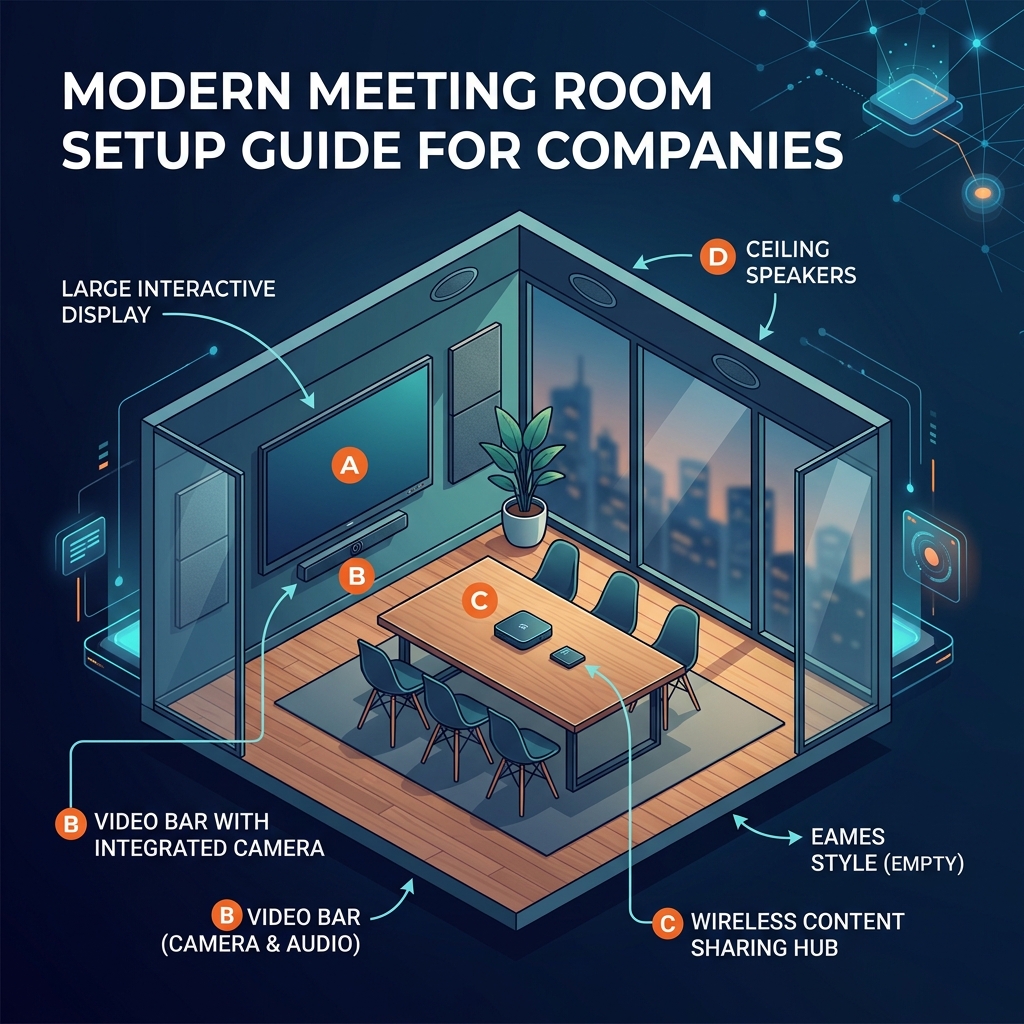
Huddle rooms suit an all-in-one video bar with integrated camera, microphone, and speaker. Larger rooms need a dedicated PTZ camera and distributed microphone array for clear coverage across the full space.
Step 3: Plan Display and Content Sharing
A single display often suffices for smaller rooms; larger spaces benefit from dual displays — one for remote participants, one for shared content — plus wireless sharing so presenters are not hunting for cables.
Step 4: Integrate with Your Calendar System
Room panels showing scheduled meetings with one-touch join significantly reduce the friction of starting meetings on time, removing the need to manually search for and enter meeting details.
Step 5: Standardise on a Platform, But Stay Flexible
Choose native Teams Rooms or Zoom Rooms mode based on your organisation's primary platform, while ensuring SIP compatibility for meetings with external partners who use a different system.
Step 6: Prioritise Audio Above All Else
Poor audio is the single biggest driver of frustrating meetings. Invest in proper microphone coverage for the room size before allocating budget to camera resolution or display quality.
Step 7: Consider Acoustic Treatment
Hard, reflective surfaces in a meeting room create echo that even good microphones struggle to fully compensate for. Simple acoustic panels or soft furnishings measurably improve call audio quality.
Step 8: Plan for IT Management
Choose room systems that support remote management and monitoring, so IT can push updates, check room health, and troubleshoot issues without needing to physically visit every meeting room in the building.
Step 9: Train Staff on the New Setup
Even the best system underperforms if staff do not know how to use it. A short walkthrough on joining meetings, sharing screens, and adjusting camera framing goes a long way toward adoption.
Building Meeting Rooms That Actually Get Used
For companies across Ahmedabad modernising meeting spaces, we design each room based on its specific size and use case, prioritising audio quality and ease of use — the factors that determine whether a room becomes a daily tool or sits unused after the initial setup excitement fades.
FAQs
Do you provide IP PBX installation in Ahmedabad?
Yes. We provide IP PBX planning, SIP phone setup, configuration, and support for Ahmedabad businesses.
How can S.N Marketing help with Modern Meeting Room Setup Guide for Companies?
S.N Marketing can review your site requirements and recommend a practical solution for planning, installation, and support.
Do you provide service in Ahmedabad and nearby areas?
Yes. S.N Marketing serves Ahmedabad and nearby business areas including Gandhinagar, Sanand, Changodar, Naroda GIDC, Vatva GIDC, Odhav, SG Highway, Prahlad Nagar, and Satellite Ahmedabad.
Related Services and Locations
IP PBX Solutions
Replace legacy EPABX with scalable, feature-rich SIP-based telephony that connects your offices, remote workers, and call centres on one unified system.
Video Conferencing
Transform your meeting rooms into HD video collaboration spaces that connect seamlessly to Zoom, Teams, and any SIP endpoint — delivering boardroom-quality meetings for remote and in-person teams.